Constrained Induces Sound Therapy is basically playing music on your bad ear to encourage the brain-ear connection. Here are some instructions for how to do this at home. If you can find a doctor who will assist, I am sure that will be better, but in Australia I could not find any ENT specialists or Audiologists who have heard of CIST.
This is how to do CISY using Spotify as the audio source and EQ.
1. What will you listen to music on?
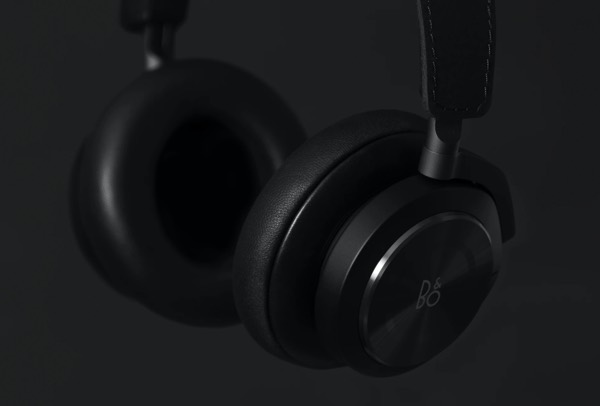
You need a good set of headphones. You are listening to music at least 6 hours a day, if the headphones are bad quality it could make your hearing worse. Read more about good headphones here.
2. Music

You need a good collection of songs, and a way to apply EQ to them. An easy way to do this is using Spotify.
Make a playlist on Spotify. I found that more familiar songs worked better. Dr. Sujana Chandrasekhar suggests this on her podcast.
They need to be songs that use the whole audio spectrum, especially those areas where your hearing is bad. So if your hearing is lacking bass, you need music with good bass. If you are lacking high frequencies you need music with good high frequencies. In my case. In my case I made a Spotify playlist called ‘Dad good bass‘
3. Equalise the Music
This is the important bit, you need to modify the various frequencies in your music to boost the parts where your ear is weak so that your weak areas of hearing are stimulated. To do this you’ll need to look at your hearing test audiogram.
My Hearing audiogram looked like this:
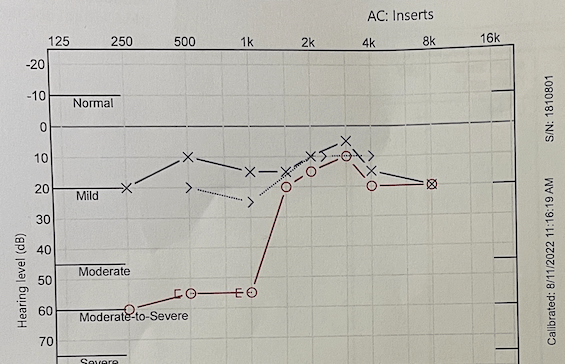
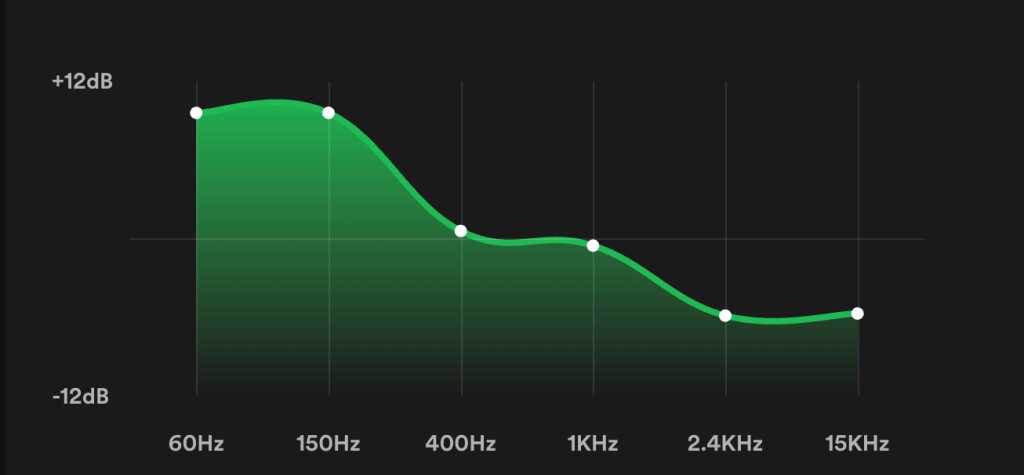
You can see my hearing loss is everything below 1kHz. This means I need to boost everything below 1khz in Spotify, like this:
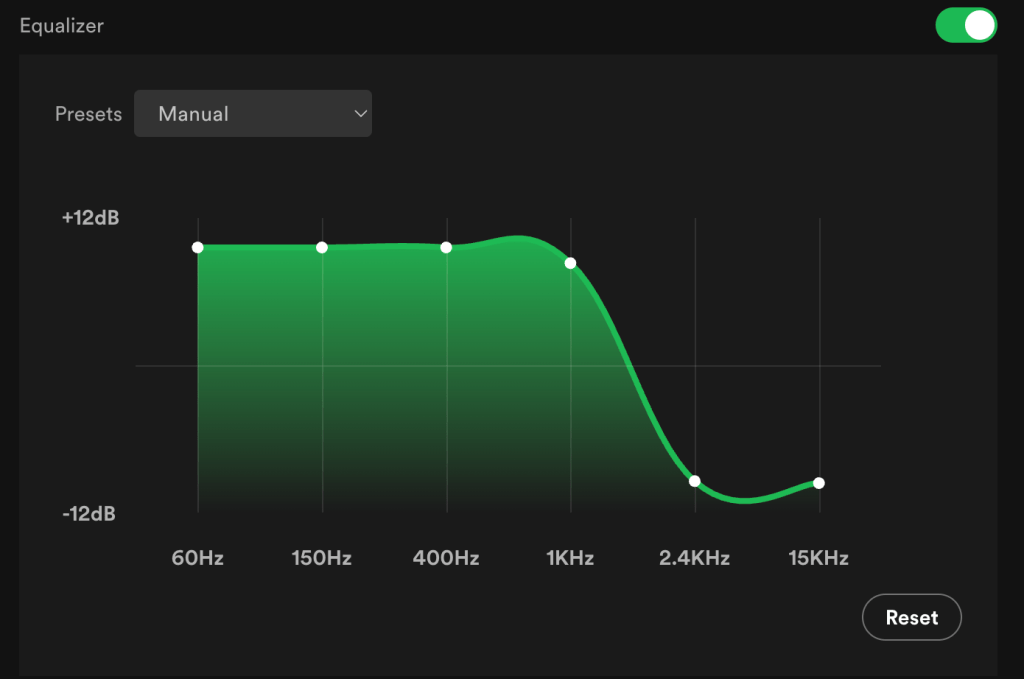
You can see how this ‘mirrors’ my audiogram. The high frequencies I can hear are reduced. The low frequencies are boosted so that I can hear them.
You can see that Spotify is able to boost by +12dB or reduce by =12dB. This means the maximum level difference you can have is 24dB.
In this article they suggest that the level you should use is half the hearing loss difference that you have between each ear at any given frequency.
I’ll say that again – it can be confusing. At any given frequency (e.g. 500Hz) measure the difference between your two ears. The Spotify EQ total boost should be half of this.
For example, at 500Hz I had -55dB hearing loss but my good ear was -10, so the difference was 45dB. Half of 45 is 22. That means I should be boosting 500Hz in Spotify by 22dB.
Spotify cannot go to +22, so this is achieved by reducing the ‘good’ frequencies as well. If I boost the ‘bad’ frequencies by +12dB and reduce the ‘good’ frequencies by -10 this adds up to 22 which is half of 45.
The maximum possible hearing difference that CIST works at is 50dB. This means that Spotify’s range of +12 to -12 is perfect for CIST. It gives a range of 24 which is close to half of 50.
When you listen to music like this it should sounds better.
You may like to do some fine tuning. For example I first started to regain my hearing at 1kHz, so I needed to drop the 1kHz like this as time went on:
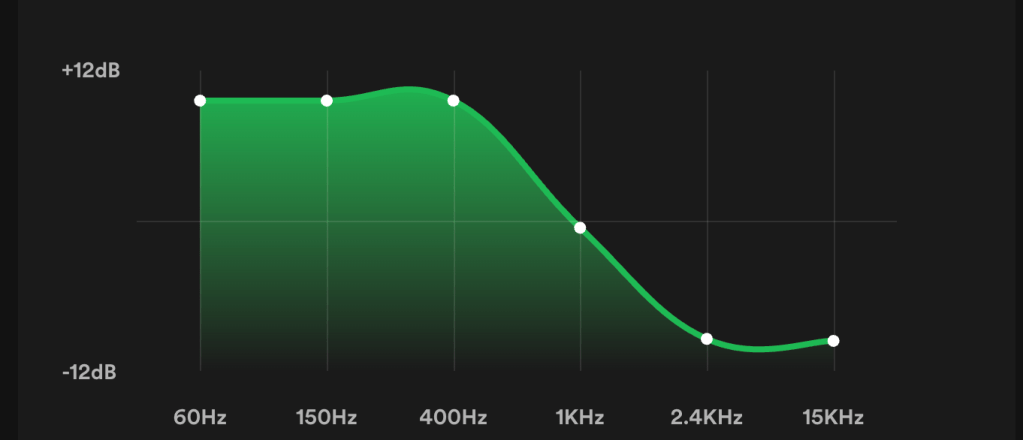
Now 3 months later my hearing is getting even better so that my Spotify EQ now looks like this:
Where is the equaliser in Spotify?
The equaliser can be hard to find. You need to go to settings…
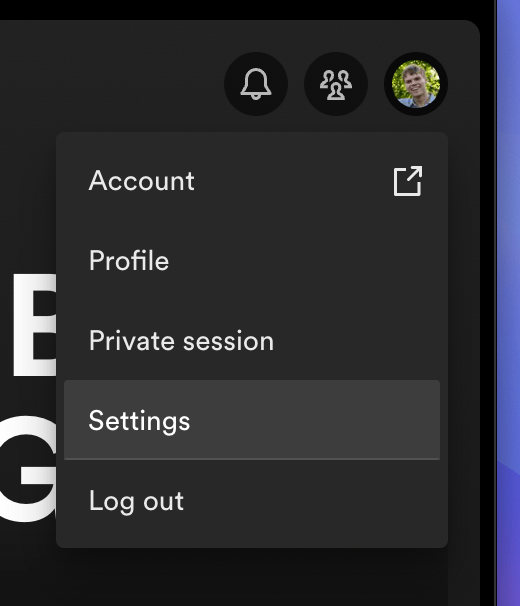
Then scroll down to ‘playback’ and you will see the equaliser.
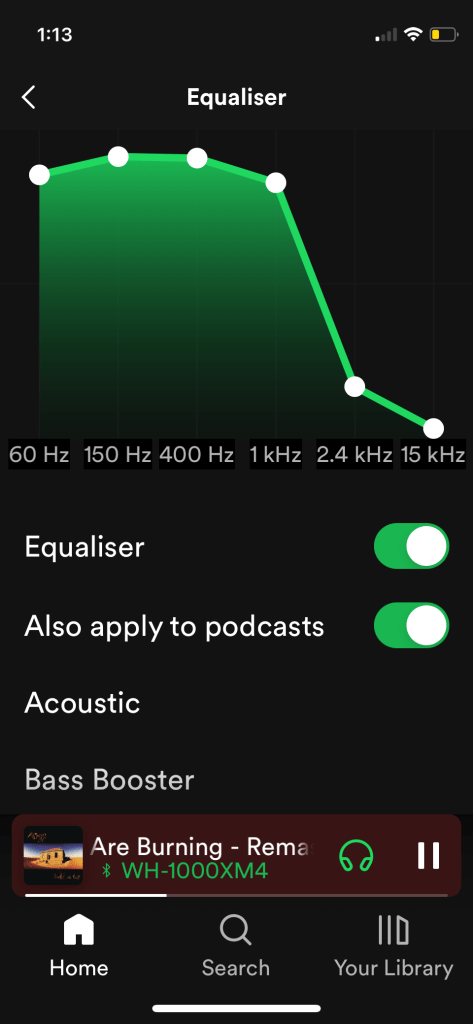
On the iPhone you’ll need to click ‘Equaliser’ to see it.
iPhone
Here’s what the Equaliser looks like on the iPhone:
4. ‘Constrain’ the good ear
Now that you have the right sound for your bad ear, you need to stop the sound going into your good ear. I found panning the headphones to the good ear and plugging the bad ear achieved the best results for me.
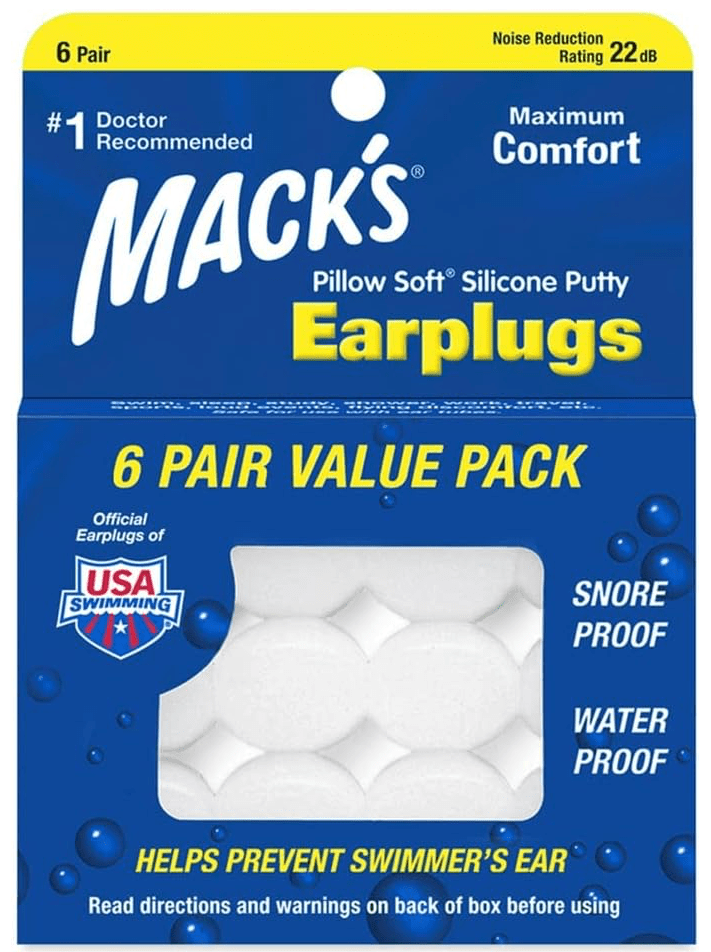
- Insert an ear plug into your good ear. I found these to be good:
2. Use the balance on your iPhone to direct the sound to the bad ear.
The strange thing about this is that it’s not in ‘Sound’ or ‘Audio’ settings. It’s under ‘Accessibility.’
On your iPhone:
- Go to ‘Settings’
- Go to ‘Accessibility’
- Go to ‘Audio/Visual’
- Find the ‘BALANCE’ setting and drag it fully towards the bad ear. (My right ear is my bad ear).
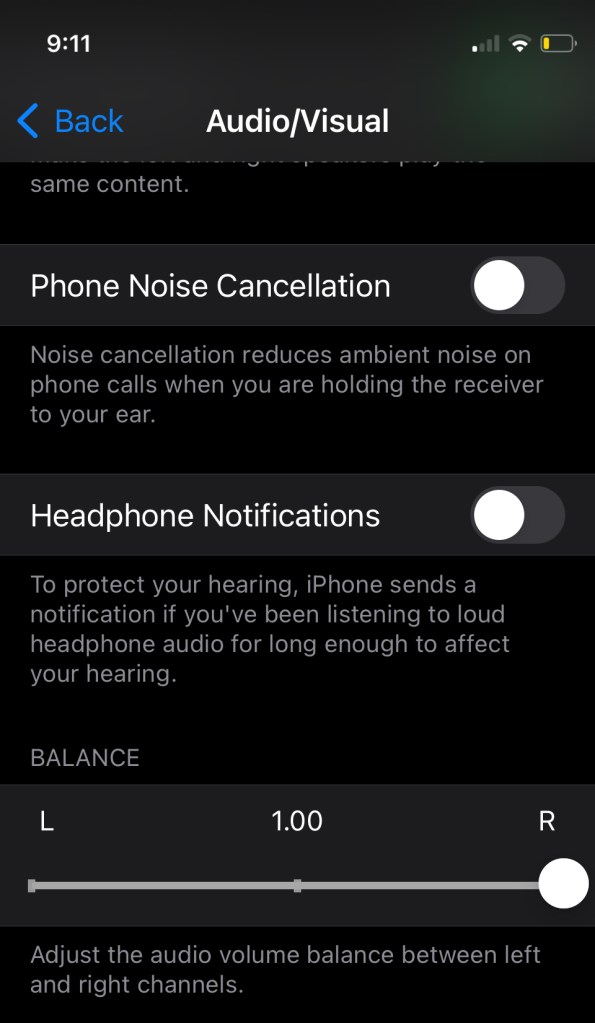
Hear you can see the balance fully to the right.
You need both the ear plug and the balance adjusted.
If you just use the earplug, some of the sound form the headphones will travel though the earplug. If you just use the balance, some of the sound does find it’s way around your head and into your good ear. So you need to do both.
5. Listen to the Music!
The CIST article suggests that you listen to music 6 hours a day.
I found I needed 8 hours a day. I also found that if I stopped too early in the night my hearing went backwards overnight. If my hearing was very bad I might stay up till midnight listening to music. That seemed to help. One night I was tired and went to bed very early, meaning I had longer between music sessions, and I woke up with worse hearing the next morning.
This is not part of CIST, but I also found better results with the earphones in overnight. So I listened to the sound of rain overnight (with the EQ on).
Early on I found the songs sounded very strange. I could not tell a guitar from a piano, and it all sounded out of tune. It was like my ears were learning to hear all over again. Playing familiar songs seemed to help as my brain knew what to expect and seemed to fill in the gaps.
Towards the end of this podcast Dr. Sujana Chandrasekhar talks about using familiar music so that the brain can ‘fill in the gaps.’
Leave a comment below!
 CIST and SSHL